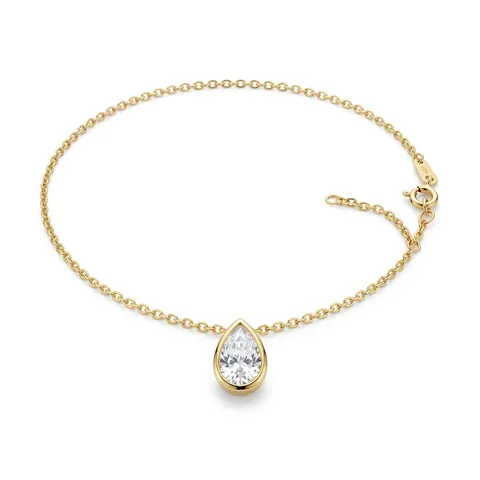
Colar
Colar Ponto de Luz Gota
R$ 289,00

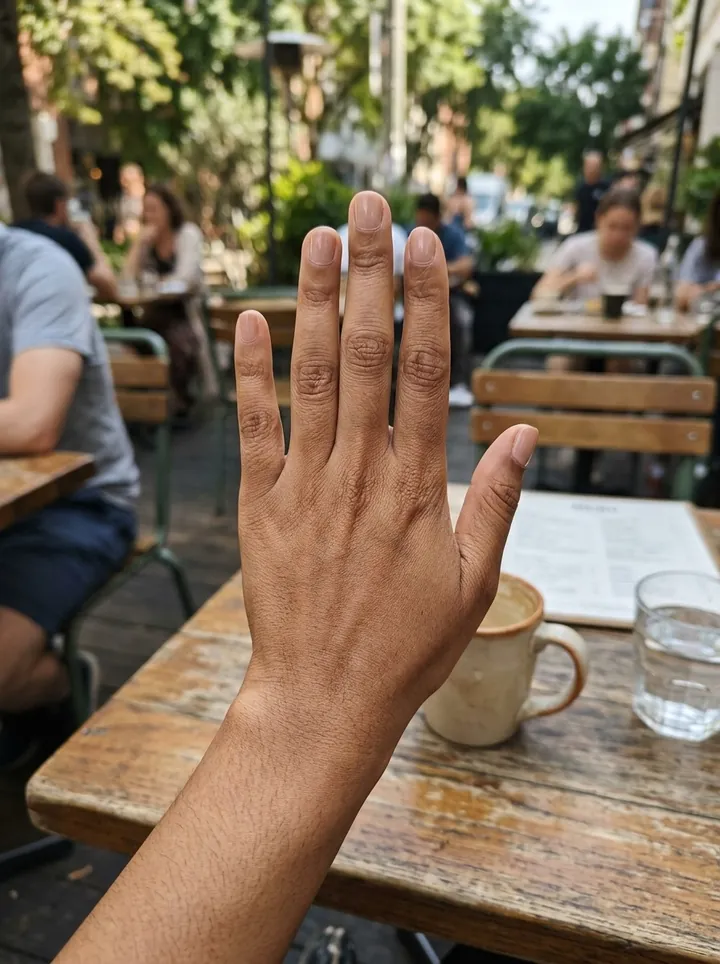
Putting it on you


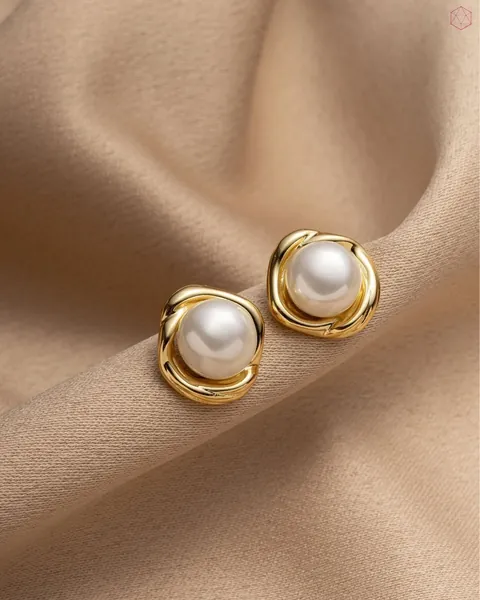 Brinco Pérola
Colar
Colar Ponto de Luz Gota
R$ 289,00


Putting it on you

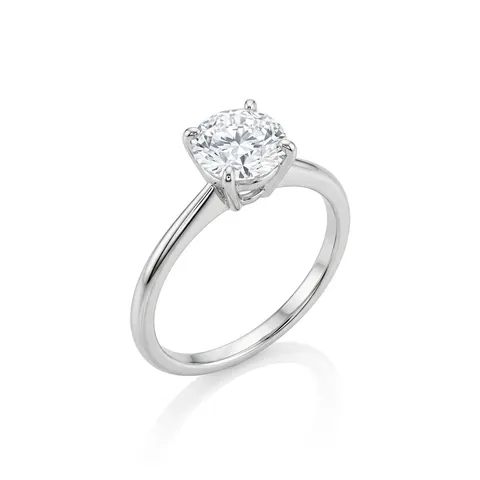 Anel Solitário
Brinco
Brinco Pérola
R$ 219,00
Ready-made integrations
Connected to the platforms your store already sells on
 Ready to install
Official app in their app store
 Ready to install
Ready-made integration for your store
 Ready to install
Native integration with the platform
 LINK VendasReady to install
Try-on in the catalogue and in the sales link
It also works on Tray, Shopify, VTEX, WooCommerce and your own site, with one script on the product page.
Real numbers from the try-on in production: rates over the last 90 days; timing measured on the current engine (September 2026).
How it looks in your store
The button sits next to “Buy”. She tries the piece on right there, without leaving the page and without signing up.
Joias / Colar
Colar Ponto de Luz Gota
★★★★★
R$ 289,00
ou 6x sem juros no cartão
✓ Frete grátis ✓ Troca em 30 dias
Illustrative store. The demo runs the real try-on.
The photo she sent. The piece she is about to buy.
Drag to compare. The piece lands in the light, the angle and the proportion of each shopper’s photo, with the same design as the product shot.

Colar
Colar Ponto de Luz Gota

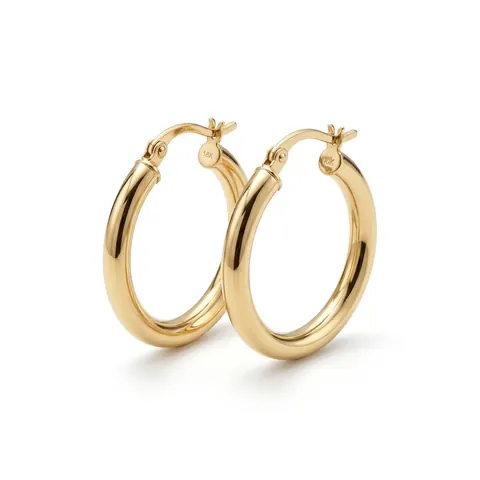
Brinco
Argola Ouro 18k
Anel
Anel Solitário
Brinco
Brinco Pérola
Generated by the same try-on that runs in live stores. To protect the shoppers’ privacy, the people in these photos were created by AI.
The question that stalls a jewelry sale online: "will it look good on me?"
The try-on answers it right on the product page, with the shopper’s own photo, without taking her out of your store.
- 01
She taps "Try it on"
The button sits on the product page, next to "add to cart". Nothing to install, nothing to sign up for.
- 02
She sends a selfie
From the phone camera or the gallery. The screen confirms the photo before generating, so no attempt is wasted.
- 03
The AI puts the piece on her
In about 15 seconds the piece appears on her own hand, ear or neckline, in the proportion and the light of her photo.
- 04
She saves it and shares it
The result is a real photograph: she can keep it, send it to a friend and ask what they think. And every photo carries your brand.
Installation: paste one script and you are done
Works on Shopify, WooCommerce, VTEX, Nuvemshop, Loja Integrada, Tray and on a custom storefront. If your platform lets you edit the product template, the try-on runs.
- ✓
One edit covers the whole catalogue
The script goes in the product template, not in each piece. Products you add tomorrow already come with the try-on.
- ✓
The piece comes in on its own
The widget sends the photo already on your site. There is no catalogue to sync, no image to upload again and no piece to register one by one.
- ✓
It looks like your store
Accent colour, background and button radius follow your theme. The shopper never feels she left your brand.
<script src="https://provadordejoias.com.br/widget.js"
        data-pvj-api-key="pk_sua_chave"></script>

<button data-pvj-image="{{ foto_do_produto }}"
        data-pvj-name="{{ nome_do_produto }}">
  Try it on
</button>Virtual jewelry try-on has been around for years. What was missing was one a jewelry store could actually use.
The traditional approach is augmented reality: before a shopper can try a piece on, someone has to model that piece in 3D. That is why the promise never reached most jewelry stores. We start from the photo the store already has.
| Augmented reality try-on | Provador de Joias | |
|---|---|---|
| What the store has to provide | A 3D model of every piece | The product photo already on the site |
| Cost of a new piece | 3D modelling, per piece | None: it comes in on the first try-on |
| A catalogue with hundreds of pieces | Not practical | One script covers the whole catalogue |
| Kinds of piece | Whatever the tracking covers | 11 kinds, from rings to ear cuffs |
| What the shopper takes away | A live mirror that disappears on close | A photograph to keep and to share |
From a wedding band to an ear cuff, with the same catalogue photo
Each percentage is the real share of try-ons finished successfully over the last 90 days, in live stores.
- Earrings92%
- Necklaces and chokers93%
- Rings and wedding bands97%
- Bracelets94%
- Ear cuffs95%
- Sets100%
- Pendants100%
- Brooches100%
- Anklets100%
A try-on is only as good as the product photo
It is the same photo that feeds the try-on and your catalogue. That is why the AI studio comes with it: from a photo taken on the counter you get the catalogue still, the piece on a model and a full editorial shoot, always faithful to the original piece.
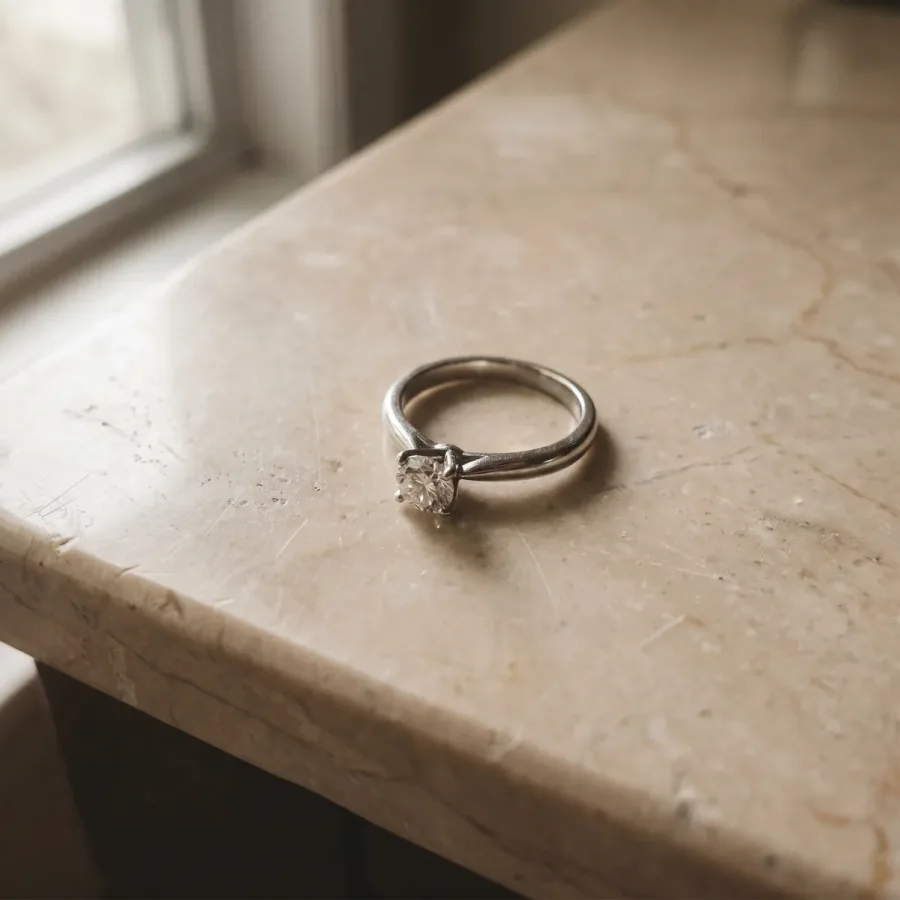 Your photo
Photo on the counter
The plain photo the store already takes, under the shop lights.
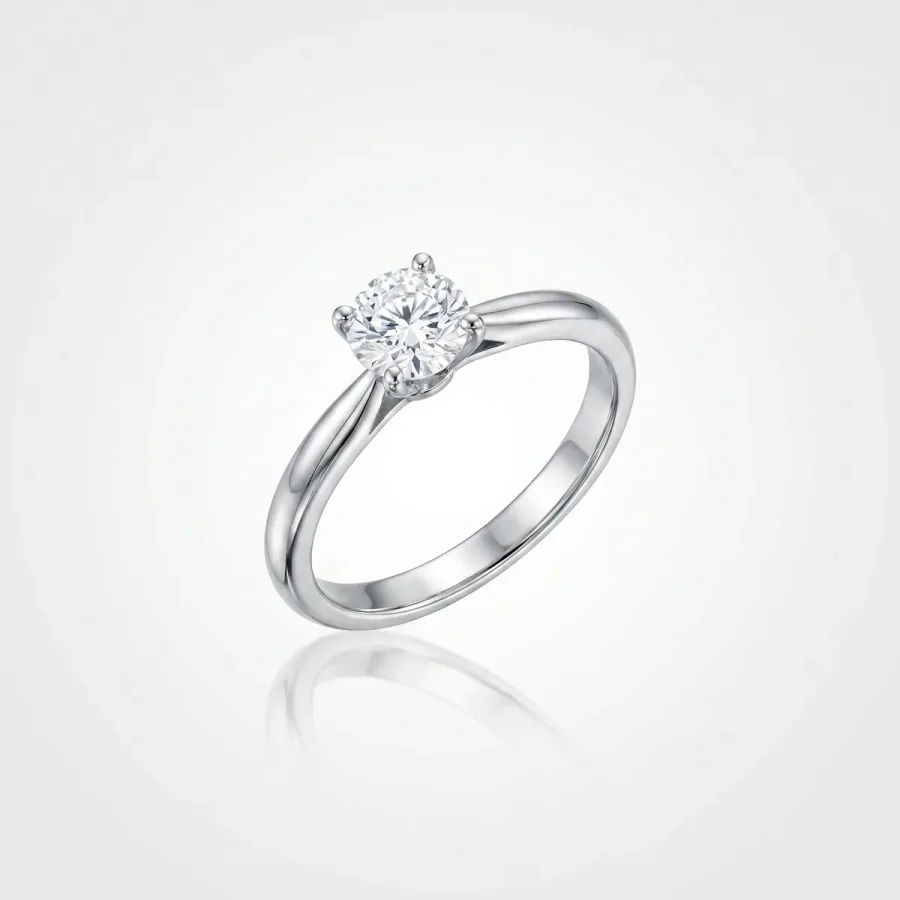 AI generated
Catalogue still
Clean background, true shine and proportion, ready for the storefront.
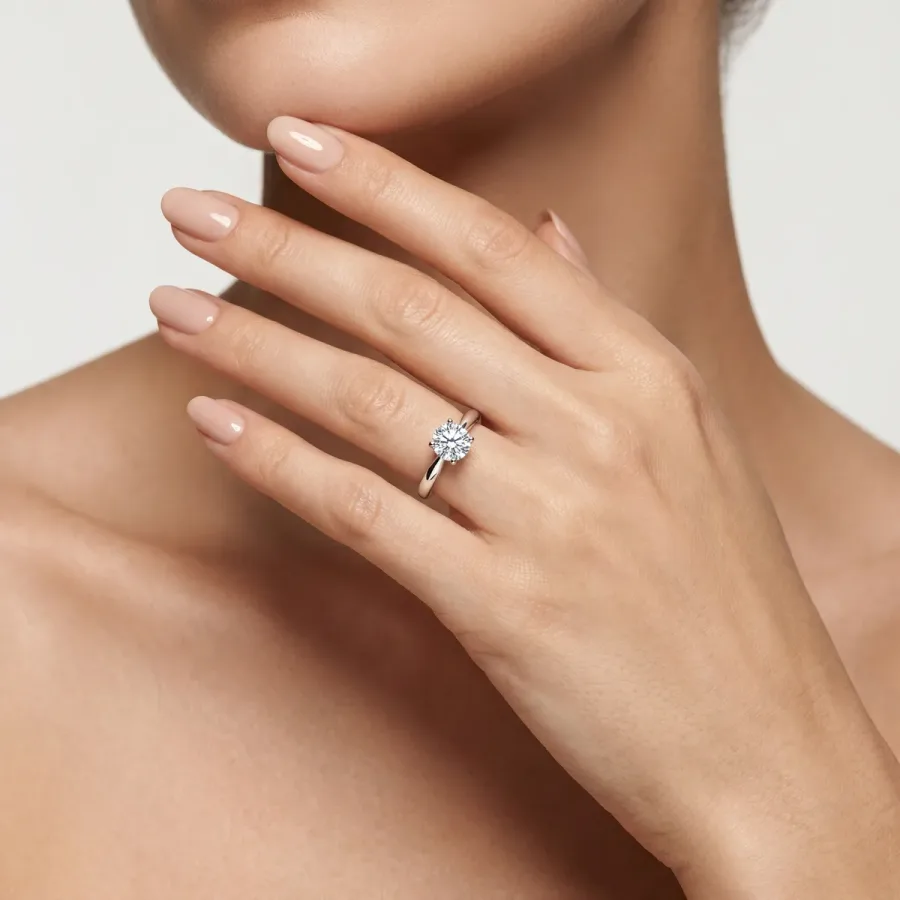 AI generated
On a model
The same piece on a model’s hand, looking real.
 AI generated
Editorial shoot
A full campaign, with an AI model and a set built for it.
A plan that fits your store
On Shopify you pick a plan inside your admin and Shopify bills it with your own invoice. On any other platform, tell us your catalogue size and we come back with a proposal.
Sob consulta
For stores getting started online.
- 100 try-ons per month
- A "Try it on" button on every piece
- A dashboard with your store’s try-ons
- Styled to look like your store
- Extra try-ons if you pass the quota
For stores with a handful of visits a day.
Sob consulta
For jewelry stores selling every day.
- 300 try-ons per month
- A "Try it on" button on every piece
- A dashboard with your store’s try-ons
- Styled to look like your store
- Extra try-ons at a lower rate
For putting the whole catalogue behind the try-on.
Sob consulta
For storefronts with steady traffic.
- 500 try-ons per month
- A "Try it on" button on every piece
- A dashboard with your store’s try-ons
- Styled to look like your store
- Priority support
For stores running paid ads.
Sob consulta
For large catalogues and high traffic.
- 800 try-ons per month
- A "Try it on" button on every piece
- A dashboard with your store’s try-ons
- Styled to look like your store
- Priority support
- The lowest rate per extra try-on
For brands launching often.
Every plan covers the try-on only. The AI photo studio (piece on a model, stills and video) is contracted separately.
Prefer email? Write to contato@provadordejoias.com.br
Common questions about the jewelry try-on
What jewelry stores and e-commerce teams ask before they start. Still unsure about something? Write to us.
Provador de Joias is a virtual jewelry try-on: an AI technology that lets a shopper try rings, earrings and necklaces on from a photo or a selfie, directly on the jewelry store’s own site, with no app to install. It is also an AI photo studio for jewelry, which generates photos of the piece on a model from the product photo.
On Shopify, install the app and pick a plan inside your admin — Shopify bills it together with your own invoice. On any other platform, write to contato@provadordejoias.com.br and our team prepares a proposal for your catalogue.
No. Augmented reality try-ons need a 3D model of every piece, and that is what makes them impractical for a jewelry store with a large catalogue. Provador de Joias only needs the product photo already on your site: the piece enters the try-on the first time someone tries it on.
About 15 seconds between the shopper sending the photo and seeing the result. Over the last 90 days, 94% of try-ons finished successfully.
Earrings, necklaces and chokers, rings and wedding bands, bracelets, ear cuffs, pendants, brooches, anklets, tiaras and full sets — eleven kinds in all. Ear cuffs, sets and brooches are exactly what augmented reality try-ons do not cover.
Neither you nor your shopper installs anything. On Shopify it is one theme block; on any other platform it is one script on the product page. The shopper opens the try-on in the browser she is already using.
The piece is placed in the proportion of the body part in the photo — the ear, the hand, the neckline — using the dimensions you send with the product. It is a faithful visual reference, not a measuring instrument.
The result is generated from your own product photo, so the metal, the stones and the design stay the ones you sell. Fidelity to the original piece is the first rule in every prompt we send to the AI.
It goes to our servers and to the AI provider only to generate that try-on, and it is deleted when the shopper or the store asks, or when the store closes its account. We do not ask for a name, an email or a phone number, and we do not run facial recognition. See our privacy policy at provadordejoias.com.br/en/privacy/.
On Shopify, through our app: install it, subscribe and turn on the theme block. On WooCommerce, VTEX, Tray, Nuvemshop, Loja Integrada or a custom storefront, paste one script into the product template — it covers the whole catalogue at once, and new products come with the try-on already.
Put the try-on in your store
Our team installs it with you and follows the first try-ons. Leave your details or message us: we come back with a proposal for your catalogue.
- ✓One script to install, on any platform
- ✓Pieces come in on their own, with no catalogue to sync
- ✓The AI photo studio is included